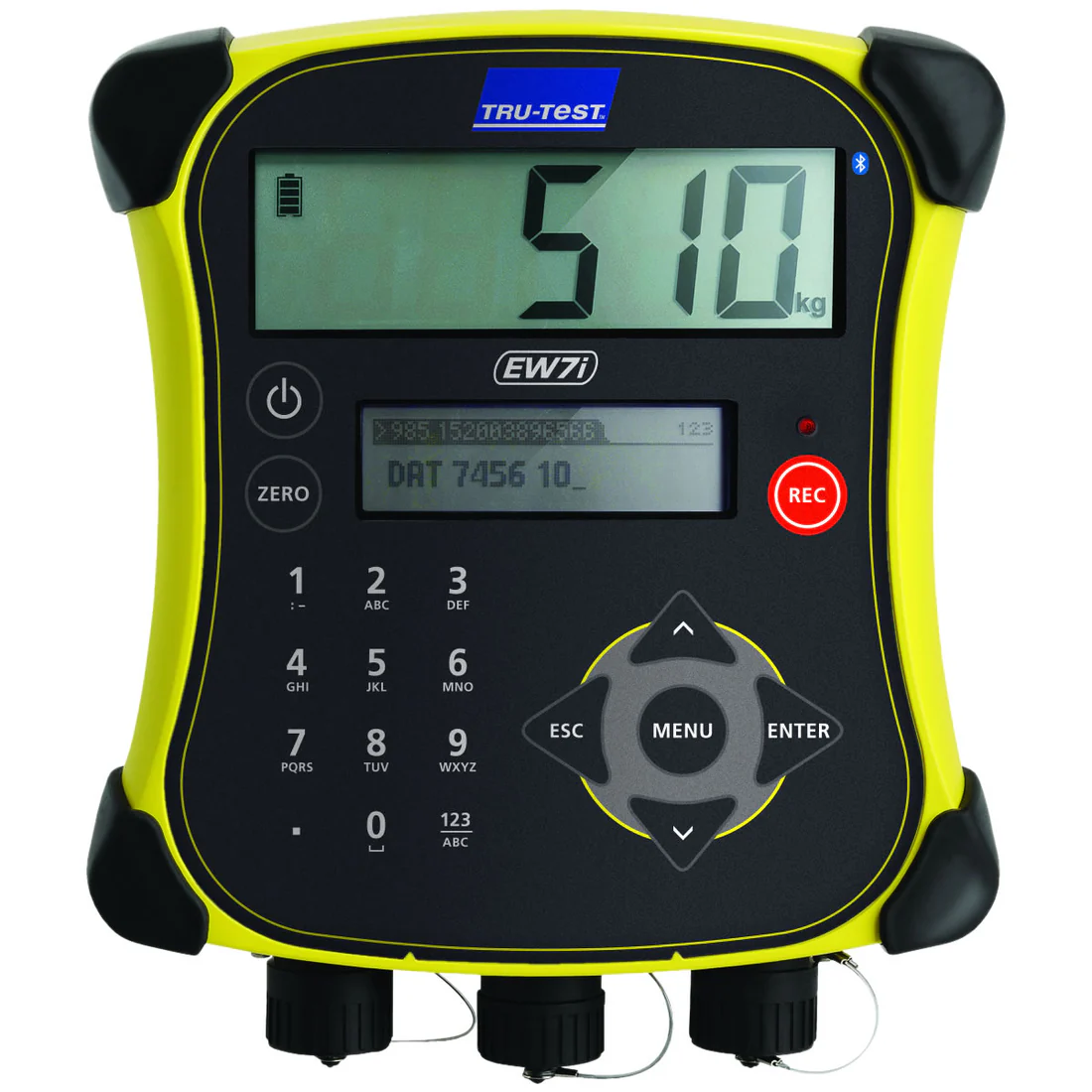
DIMENSIONS (WXHXD): 8” x 9.5” x 3”
WEIGHT: 2.6 lbs
CHARGING TIME: 3 hours in normal conditions
RUN TIME: 15 – 20 hours (backlight off and depending on Bluetooth use). Auto power down: 15 minutes
POWER REQUIREMENTS: Supplied power adaptor or USB 5 V d.c. (do not connect 12 V d.c.). Car charger available as accessory.
INGRESS PROTECTION: IP67, 100% waterproof and dustproof
User Manual : EziWeigh7-User-Manual-EN_4
How to Calibrate : https://triplestarmfg.ca/wp-content/uploads/2026/06/EziWeigh7-Cal-Video.mp4
$2,950.00
Quantity:
| Weight | 5 lbs |
|---|---|
| Dimensions | 12 × 12 × 8 in |
Wireless or tethered EID reader connectivity.Choose between wireless communication with EID readers up to 330 ft away, or connect via cable
ID capable.Records information against EID and VID tags. VID numbers will automatically be cross-referenced with their EID match, saving you time and reducing data entry
Live weight gain.Calculates and displays an animal’s daily weight gain since the previous session
Capture traits or treatments.Record notes for each individual animal
Memory and storage capacity.Stores up to 100 weighing sessions and 20,000 records
Summary statistics from the current and previous weigh sessions can be recalled in the field
Sorting capability.Sort animals into uniform groups based on live weight; up to 3 sort ranges available
Highly visible display.The EziWeigh7i has a large 5.2″ x 1.6 ” display with a super bright white LED backlight to make it viewable in all conditions, from the brightest daylight to darkness
Durable case.All Tru-Test products are designed for the tough agricultural environment. The EziWeigh7i takes this to a new level with double walled construction and rubber corner buffers for extra durability
PC connectivity.Direct and easy communication with your computer via a USB cable and Data Link software
Auto Zero.Ensures any accumulation of dirt or manure on the platform or chute is zeroed out
Plug and play load cell connection.The EziWeigh7i indicator is compatible with all load sensors currently available in the Tru-Test range. No calibration is required as EziWeigh7i automatically recognizes the load sensing device connected
Long life and fast charging battery.Over 15 hours of run time and only 3 hours to recharge. The EziWeigh7i will also automatically turn off after 15 minutes of no activity to save battery life
Superdamp™ III technology.Capture accurate live weights more quickly than any other weigh scale on the market
Auto incrementing and auto prefixing.For fast entry of VID
Bright red stable light.You can easily identify when you have a stable weight
User Manual : EziWeigh7-User-Manual-EN_4
How to Calibrate :
| Weight | 5 lbs |
|---|---|
| Dimensions | 12 × 12 × 8 in |